Portal tour
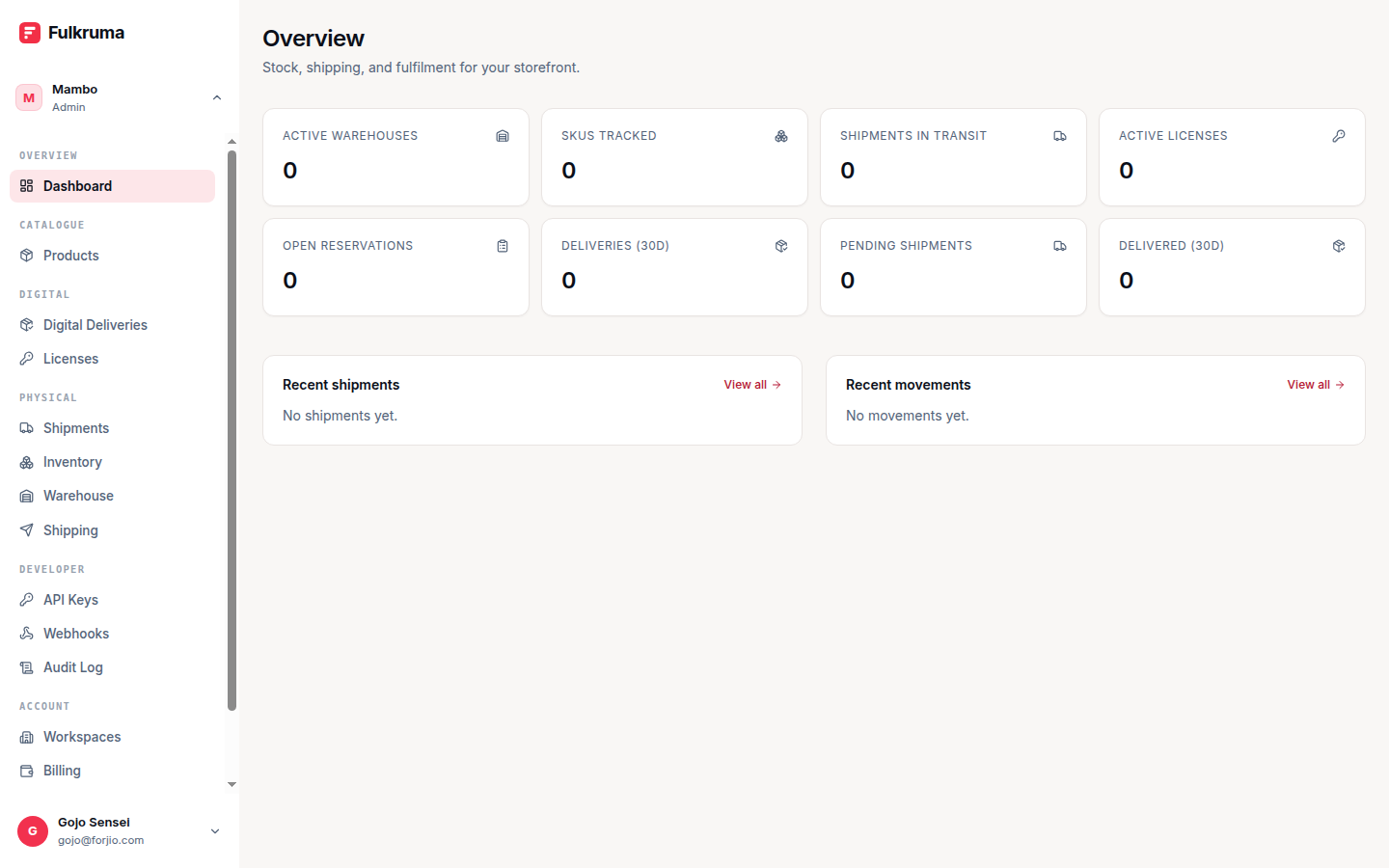
The Fulkruma portal at fulkruma.com/dashboard is your day-to-day workspace. This section walks through every page in the dashboard with common tasks and tips.
If you're looking for a specific feature, jump straight to it from the sidebar. If you're new, read through this overview first.
Layout
The portal has three main regions:
- Sidebar (left) — primary navigation. Sections: Warehouses, Products, Stock, Reservations, Movements, Shipping, Shipments, Deliveries, Licenses, Addresses, API keys, Webhooks, Audit log, Workspaces, Settings, Billing.
- Top bar — workspace switcher, search, notifications, account menu.
- Main content — the page you're on.
The sidebar collapses on mobile and narrow viewports.
The dashboard home
The default landing page is /dashboard. It shows:
- Counters — warehouses, products, total stock units, shipments in transit, low-stock variants.
- Recent activity — the last few stock movements, shipment status changes, and license activations.
- Integrations health — whether Huudis, Biteship, Plugipay, and Storlaunch are wired up correctly. Click any of them to jump to the relevant settings page.
The counters are refreshed on each page load — they're cheap to compute since stock and shipment status are denormalized into per-workspace aggregates.
Workspace switching
Top-left chip shows the active workspace. Click to:
- Switch to another workspace you're a member of
- View workspace settings
Switching is instant — no page reload.
If you have both a direct-sign-up workspace (usr_…) and one provisioned by Storlaunch (acc_…), they appear as separate entries. The currently-active one is highlighted.
Common tasks — quick links
| Task | Where |
|---|---|
| Add a new warehouse | Warehouses → New |
| Add a product | Products → New |
| Adjust stock | Stock → Adjust |
| Create a shipment | Shipments → New |
| Configure Biteship | Settings → Integrations |
| Create an API key | Settings → API keys |
| Configure a webhook | Settings → Webhooks |
| View billing | Settings → Billing |
Test vs live
Fulkruma doesn't have a strict test/live split the way Plugipay does — stock movements and shipments are inherently linked to real-world inventory, so there's no "fake" mode. Instead:
- If you haven't configured Biteship,
shipments.createrecords a local placeholder and doesn't book a courier. This is the "dev mode" until you connect Biteship. - For SDK and API integration testing, request a staging workspace by emailing hello@fulkruma.com. It runs against
staging.fulkruma.comwith separate keys and data.
Coming pages
The portal section currently covers three core areas:
- Warehouses — setting up locations.
- Products & stock — the catalog and the stock ledger.
- Shipments — the shipment + delivery flow.
Deeper pages (deliveries, licenses, API keys, webhooks, settings, billing) will land in subsequent sessions. The dashboard itself has contextual help on most pages — look for the ? icon in the top-right.
Next
- Warehouses — setting up your first location.
- API overview — do the same things programmatically.